Cam to cam on your phone: how two-way video chat works
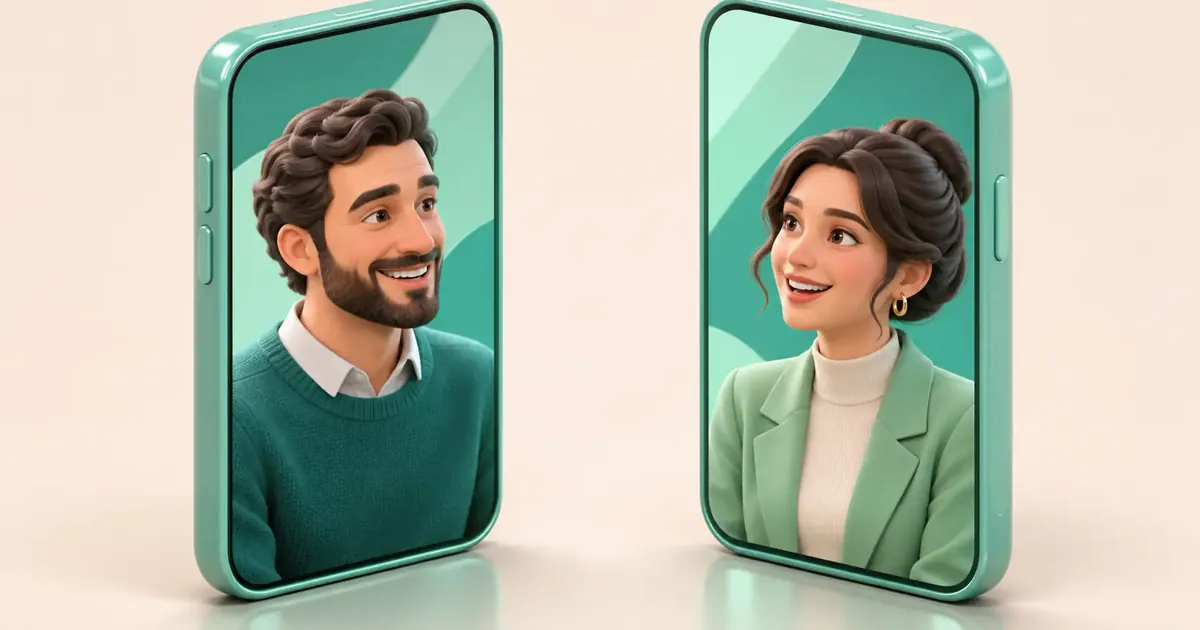
Cam to cam, or cam2cam, means a two-way video chat where both people keep their cameras on, so you see each other at the same time. Doing cam to cam on a phone is easy once you know which services support it and how the front camera behaves. This guide walks through it and points to Instacams as the simplest cam-to-cam start on mobile.
Our ranking
What does cam to cam mean?
Cam to cam is a video chat where both sides are on camera together. It is the opposite of a one-way setup, where one person streams and the other only watches. The point is a genuine two-way exchange: you both see and hear each other, like a normal video call, except usually with a stranger.
That distinction matters when you choose a service. One-to-many streaming apps like Tango and Bigo Live are not really cam to cam, because the audience watches a broadcaster. For true cam to cam, you want a one-on-one or a random matching service.
How does cam to cam work on a phone?
On a phone, cam to cam uses your front camera, the selfie camera, so the other person sees your face while you see theirs. You open a service in the browser or an app, allow camera and microphone access, and once you are matched, both feeds go live at once. Most services let you switch to the rear camera too, though for a face-to-face chat the front camera is the norm.
Because the phone is handheld, a couple of practical things help: prop it up or hold it steady at arm's length, use good front lighting so your face is clear, and keep a plain background. For the technical side, data use and permissions, see our mobile video chat guide.
Which services are best for cam to cam on mobile?
Cam to cam comes in two flavors, one-on-one and random, and both work on a phone:
- One-on-one: Instacams matches you with one person and translates the chat, in the browser. CooMeet and LuckyCrush are other one-on-one options.
- Random: OmeTV, Chatspin and Camsurf pair you with random strangers cam to cam, with a skip button.
If you want a settled, two-way conversation, start one-on-one. If you prefer variety and do not mind skipping, go random; our random cam chat guide covers that style, and the cam chat app guide ranks the apps.
Browser or app for cam to cam?
Both work. A browser service needs no download and leaves nothing on your phone, which is why we rank Instacams first for a quick cam-to-cam start. An app can feel smoother for daily use but takes storage and shows in your app list. The iPhone and Android guides cover the device specifics.
Is cam to cam on a phone free?
You can usually start cam to cam for free. The extras, unlimited matching, filters, longer sessions, are often paid, and a few one-on-one services charge for the chat itself. Instacams is free to join with pay-as-you-go pricing. For the full picture of free versus paid, read our free cam chat guide.
Staying safe during cam to cam
Because both cameras are on, cam to cam shows more of you and your space than a text chat, so the basics matter even more:
- Check your background before you go live; both of you are visible instantly.
- Keep your name, address, workplace and school off camera and out of the chat.
- Never send money, and be wary of anyone who pushes you to another app fast.
- Use skip, block and report the moment a chat feels wrong, and never engage anyone who looks underage.
- Cam to cam is adults only, 18+.
Cam-to-cam problems and quick fixes
- Only one camera shows: both sides must allow the camera. Check your permission and reload if the other feed is blank.
- Your preview looks mirrored: that is just your local preview; the other person sees you the right way round.
- The front camera looks dark: add light in front of you; phone front cameras handle low light poorly.
- Video drops mid-chat: a weak signal is the usual cause. Switch to Wi-Fi or move to a stronger connection.
Best cam-to-cam options on a phone
| Option | Style | On phone |
|---|---|---|
| Instacams | 1-on-1, translation | Browser |
| CooMeet | 1-on-1 with women | Browser and app |
| OmeTV | Random | App and browser |
| Chatspin | Random + masks | Browser and app |
Lighting and framing for a good cam-to-cam picture
Because both cameras are on, how you look on a phone comes down to light and framing, not an expensive setup. Face a window or a lamp so the light falls on you, never behind you, or you turn into a silhouette. Prop the phone on something steady at roughly eye level, so you are not holding it or filming up your own chin. Keep a plain wall behind you, which both flatters the shot and hides your room.
- Light in front of you, not behind.
- Phone steady and near eye level.
- Plain background, nothing identifying.
- Clean the front lens; a smudge softens the whole picture.
Ready for a two-way chat? Try Instacams free for one-on-one cam to cam in the browser, or compare every option in the reviews hub.
Frequently asked questions
What is cam to cam on a phone?
Cam to cam, or cam2cam, is a two-way video chat where both people keep their cameras on, so you see each other at once. On a phone it uses the front camera, and works in the browser or an app.
What is the best cam-to-cam app for a phone?
For one-on-one cam to cam, Instacams is the easiest: it runs in the browser and translates the chat. For random cam to cam, OmeTV, Chatspin or Camsurf pair you with strangers you can skip.
Can I do cam to cam without an app?
Yes. Browser-based services like Instacams, Chatspin and Camsurf do cam to cam with no download. You open the page, allow the camera, and both feeds go live when you are matched.
Is cam to cam on a phone free?
You can usually start for free. Extras like unlimited matching or filters are often paid, and some one-on-one services charge for the chat. Instacams is free to join. See our free cam chat guide.
How do I stay safe doing cam to cam?
Check your background, keep personal details off camera and out of the chat, never send money, and use skip, block and report quickly. It is adults only, 18+.
Does cam to cam use the front or rear camera?
The front selfie camera by default, so the other person sees your face. Most services let you switch to the rear camera if you want to show something else.
Why is my cam-to-cam video dark or grainy?
Phone front cameras struggle in low light. Face a window or a lamp, keep the light in front of you rather than behind, and the picture clears up.
Can I switch cameras during a cam-to-cam chat?
Usually, yes. Most services have a button to flip between the front and rear camera mid-chat, so you can show your face or point the camera at something else, then switch back.